Workflow Trigger¤
Introduction¤
Workflow Trigger allow for manual execution of data integration workflows inside of the exploration interface.
Optionally, a reference to the resource in view on workflow execution can be sent, allowing an executed workflow to act specifically on this resource (or a specific portion of the Knowledge Graph related to it). Workflow trigger are associated to Node Shapes by defining special-purpose non-validating Property Shape resources.
Setup¤
To specify the Build (DataIntegration) workflow which should be executed via the shape element, a Workflow Trigger resource has to be created first. Workflow Trigger can be defined and used in any active Shape Catalog (active means, it is imported from the main Shape Catalog). A workflow trigger resource references a data integration workflow by URI.
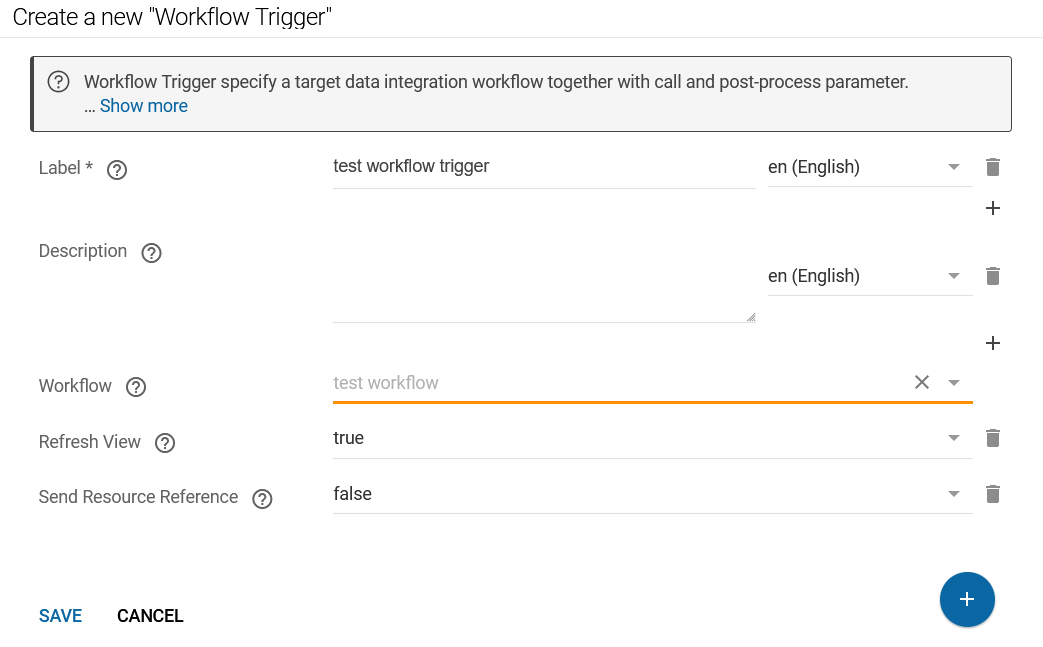
To define a workflow trigger the following information is needed:
- Label: The trigger resource needs a label (can be given in different languages), which is used for the button presentation.
- Description: The trigger resource needs a description, which is used as text that is sitting left of the button for further documentation of the activity to the user.
- Workflow: the workflow parameter defines the workflow that shall be executed upon clicking the button. The workflow can be selected from a dropdown list.
- Refresh View: can be either
trueorfalse. If this value is set totrue, the view that contains the workflow trigger will be reloaded upon workflow completion - Send Resource Reference: can be either
trueorfalse. If this value is set totrue, a payload that consists of the resource IRI that is represented in the view as well as the graph IRI *of the graph that is currently selected.*
Integration¤
A shui:WidgetIntegration resource needs to be created from the previously defined workflow trigger.
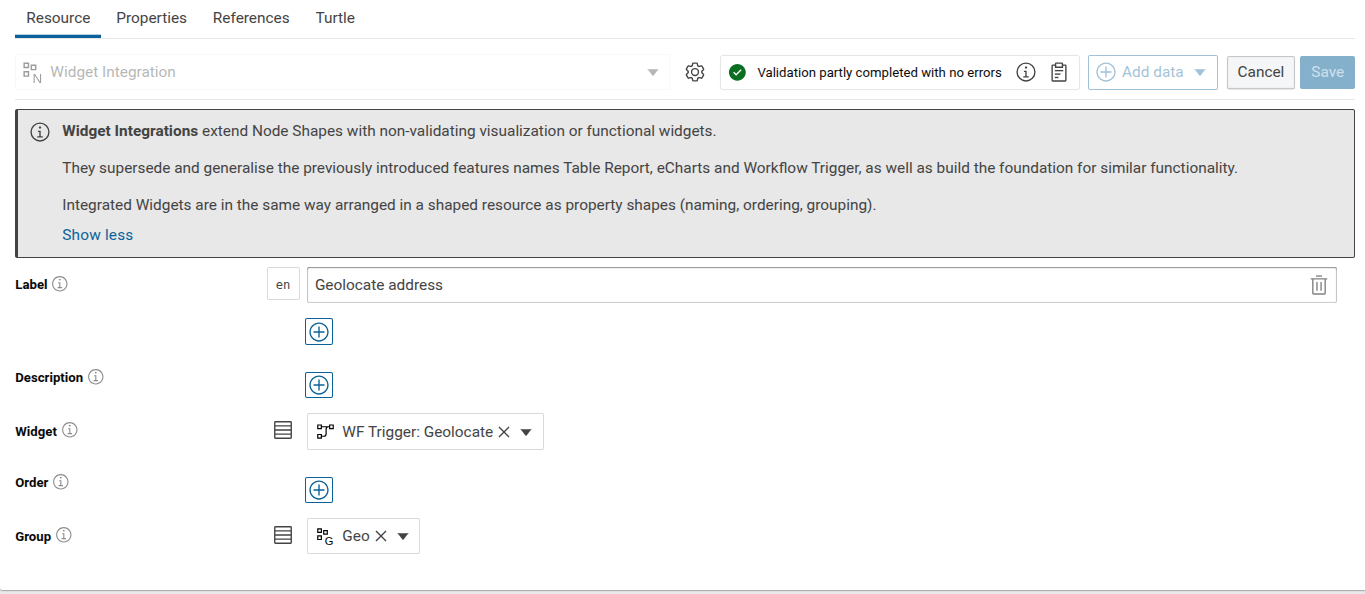
Once the widget is created, it can be attached to a Node Shape by using a special-purpose non-validating Widget property.
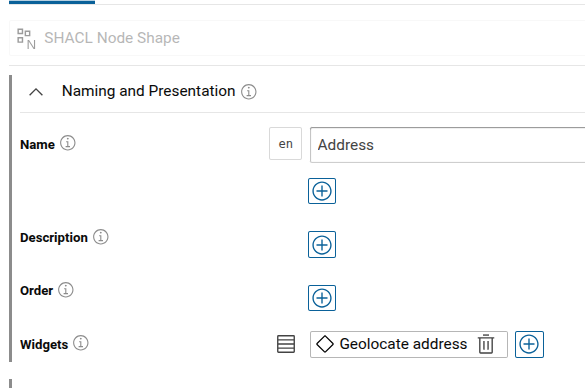
Payload Structure¤
When Send Resource Reference is set to true, a payload is added to the call of the workflow. The payload consists of a JSON document with two attributes:
Workflow Payload
{
   "graphIRI": "http://example.org/example-graph",
   "resourceIRI": "http://example.org/example-graph/example-resource"
}
graphIRIis the IRI of the graph that is currently viewed, andresourceIRIis the IRI of the resource that is viewed.
To make use of this dynamic payload, the underlying workflow should define variable input using Replaceable Datasets.