Build¤
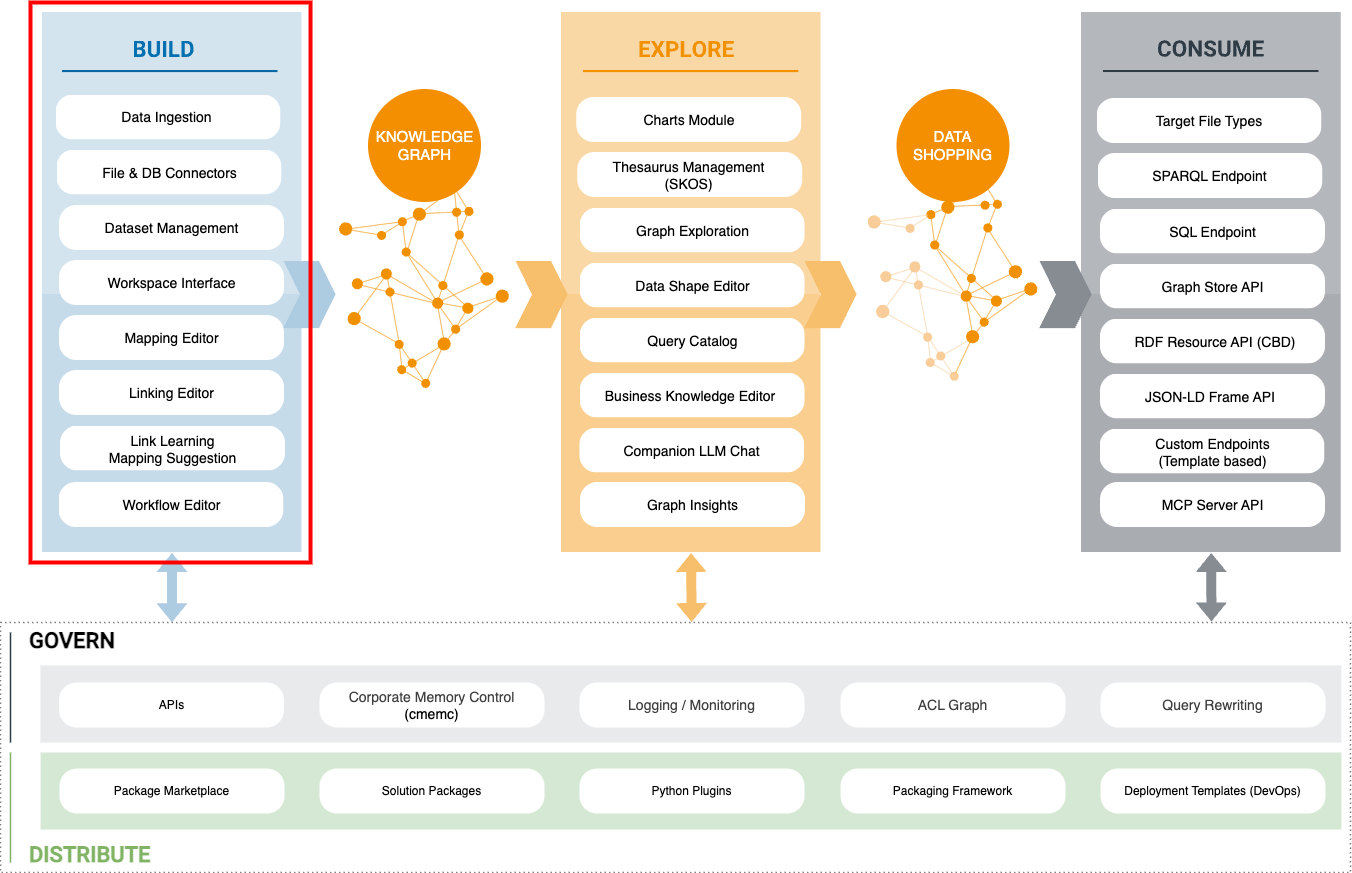
The Build stage turns source data from files, databases, APIs, and streams into an Enterprise Knowledge Graph.
Intended audience: Linked Data Experts
-
Foundations
Understand the workspace and the concepts behind it.
- Introduction to the User Interface — The Build workspace, its projects and its tasks.
- Cool IRIs — Define the identifiers of the nodes and edges in a Knowledge Graph.
- Define Prefixes / Namespaces — Abbreviate IRIs with prefixed names.
- Rule Operators — The operators that make up linking and transformation rules.
- Spark — Apache Spark and its integration in Build.
-
Tutorials
Follow an example from start to finish.
- Build a mapping with the Mapping Creator — Map a hierarchical XML file to a vocabulary with the visual editor and its AI-generated suggestions.
- Lift Data from Tabular Data — Build a Knowledge Graph from CSV, XLSX or database tables.
- Lift data from JSON and XML sources — Build a Knowledge Graph from hierarchical files.
- Extracting data from a Web API — Build a Knowledge Graph from a Web API response.
- Incremental Database Loading — Load a relational database table incrementally through a JDBC dataset.
- Connect to Snowflake — Lift and link data from a Snowflake cloud warehouse.
- Build Knowledge Graphs from Kafka Topics — Consume Kafka topics and lift event streams.
- Evaluate Jinja Template and Send an Email Message — Fill a template from a graph and send it after a workflow execution.
- Link Intrusion Detection Systems to Open-Source INTelligence — Link IDS data to OSINT sources.
-
Guides
Use a feature in a project.
- Mapping Creator — Create and manage mappings on a visual canvas.
- Active learning — Learn a linking rule from interactively labeled record pairs.
- Rule Blocks — Build reusable transformation sequences, referenced from transformation and linking rules and managed centrally.
- Workflows — Orchestrate datasets and tasks, and reconfigure tasks during execution.
- Variables — Define and reuse global, project and execution variables.
- Project Access Control — Restrict a project to the members of selected user groups.
-
Reference
Look up tasks, operators and supported services.
- Task and Operator Reference — Tasks and operators of the Build workspace.
- Integrations — Services and applications that integrate with eccenca Corporate Memory.