Command-Line Completion¤
Introduction¤
In case you are using bash or zsh as your terminal shell, you should enable Command-line tab completion for cmemc.
Tab completion is a powerful feature and will save you a lot of typing work. Furthermore, it will help you to learn the different commands, parameters and options and will auto-complete parameter values taken live from your eccenca Corporate Memory instance (such as graph IRIs, project IDs, etc.).
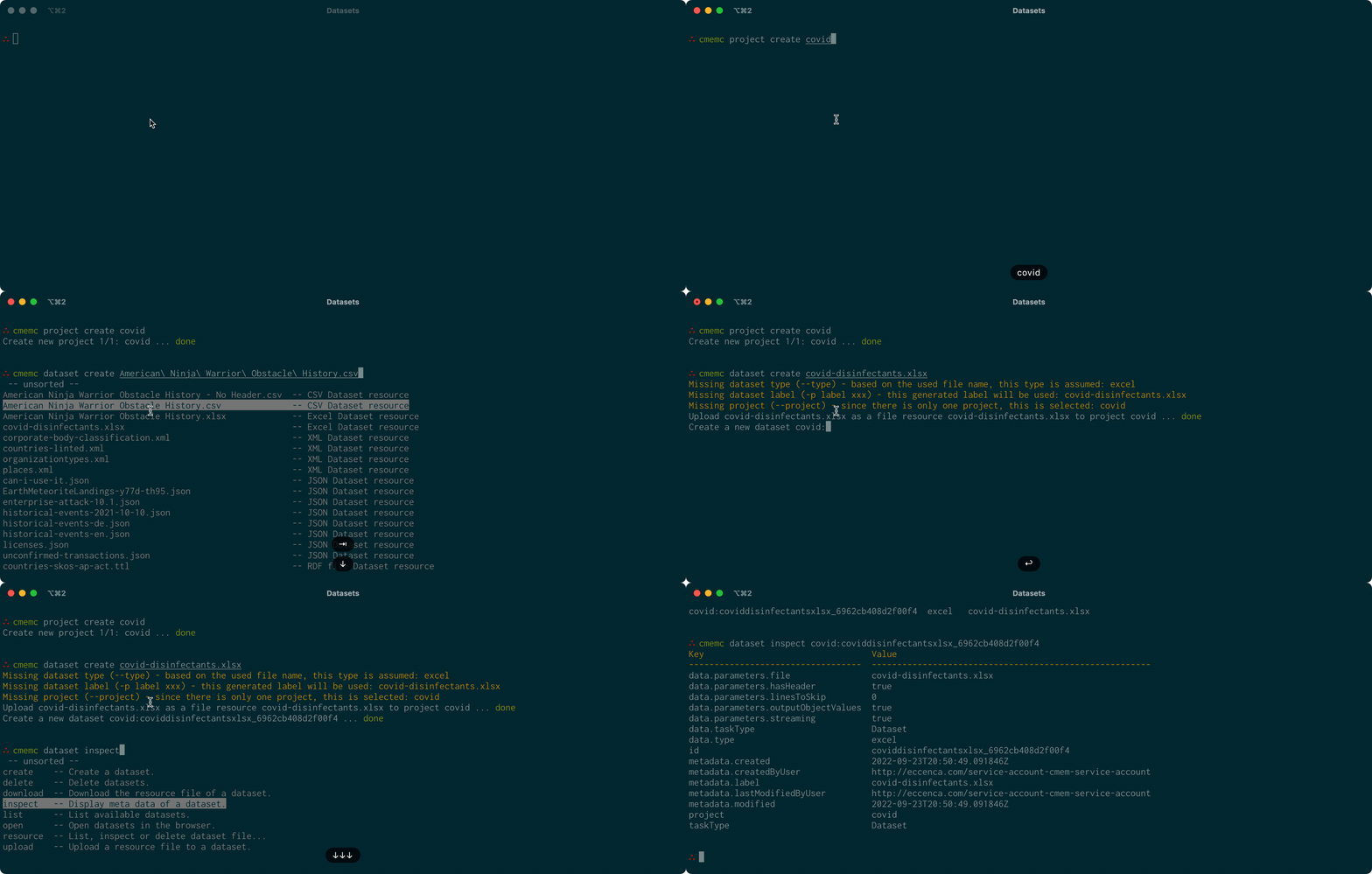
We suggest using zsh so you can take advantage of its advanced menu-completion feature.
Installation¤
In order to enable tab completion with zsh run the following command:
To enable the interactive menu as seen above in zsh run the following command:
In order to enable tab completion with bash run the following command:
You may want to add this line to your .bashrc or .zshrc.