Installation and Management of Marketplace Packages¤
Introduction¤
Marketplace Packages can be installed directly from a Corporate Memory Marketplace Server (e.g. https://eccenca.market), or from local Corporate Memory Package Archives (.cpa files) and package directories.
This page describes how to search, install, list, and uninstall Marketplace Packages using cmemc.
Managing packages in the user interface
Packages published on a Marketplace Server can also be installed and uninstalled in the Marketplace module of Corporate Memory.
cmemc package reference
The cmemc package command group contains all needed commands to support the complete package lifecycle.
Search Packages¤
Use the following command to search a Marketplace Server for available packages:
Install Packages¤
Use the following command to install a package from a Marketplace Server:
$ cmemc package install w3c-xsd-vocab
Installing package 'w3c-xsd-vocab' from marketplace ... done
For installing local package archives (.cpa files) or package directories, use the --input option:
$ cmemc package install --replace --input my-package-v0.0.0-4b7516f.cpa
Installing package 'my-package' from 'my-package-v0.0.0-4b7516f.cpa'
done
Replacing installed packages
Use --replace to overwrite an already installed package version or package content.
Without this option, installing over existing content fails.
List Packages¤
Use the following command to list all installed packages:
To review the manifest of a package (installed, local directory, or .cpa file), use the inspect command:
Where Package Contents Appear¤
Depending on the content types inside it, an installed package appears in different places in Corporate Memory, with each item (graph, project, workflow, …) surfacing in its respective component.
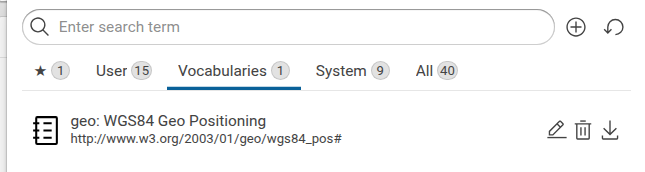
Graphs such as data graphs but also Vocabularies or Shapes Catalogs are listed in Explore > Graphs.
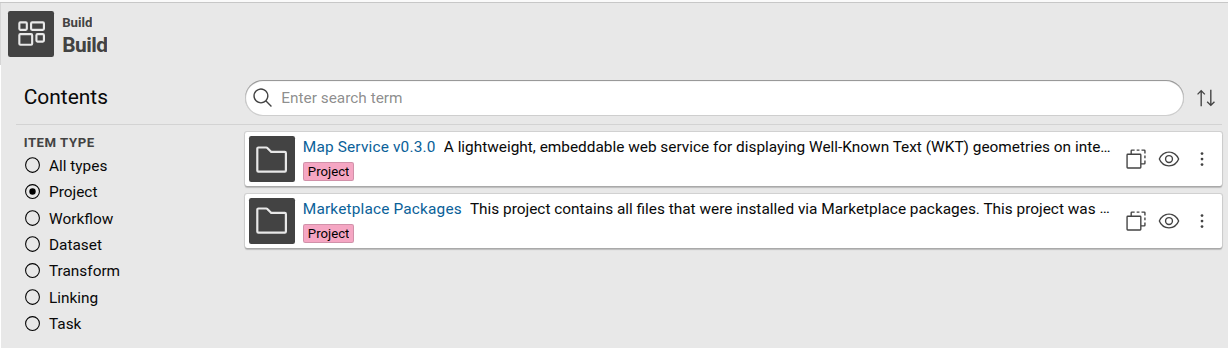
Projects are imported into Build. When you install your first project package, Corporate Memory also creates a special project to store all installed files. This project is automatically managed by the package system, and removed once the last package is uninstalled.
Uninstall Packages¤
Use the following command to uninstall a package:
This removes all package contents from the Corporate Memory instance, including graphs and Build projects that were installed as part of the package.